 UPDATE
Oct 03, 2026
Sound & Illustration: See and Hear Taonere
Greetings Masters,
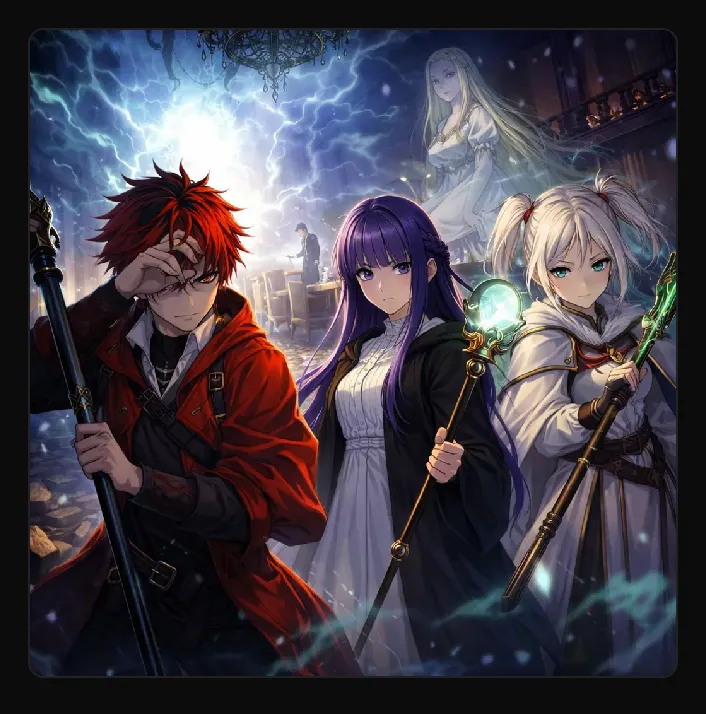
Taonere now has a soundtrack and a sketchbook. Every expedition can be heard and seen: background music follows you through the Nexus and into the tower, and any round of an expedition can be painted as a full illustration of your party in the moment. Immerse yourself visually and audibly in the world you have been reading.
━━ THE SOUND ━━
Twenty-two tracks by Alkakrab, a mix of ambient RPG pieces and JRPG themes, now play as you move through Taonere.
• Desktop: the player sits in the bottom-right corner. Hover it to see the track title and the play, previous and next controls.
• Phone: open the MENU and the player is inside it.
• Tracks shuffle as you go. Your choice is remembered, so if you turn the music off it stays off until you turn it back on.
━━ THE ILLUSTRATIONS ━━
Any round of an expedition can now be drawn as an anime illustration: your heroes, the place, and whoever they are facing, caught in the moment the round describes.
How to illustrate a round:
1. On an expedition, find the round you want. Beside its place name is a small image icon.
2. Tap it and choose Illustrate this round. It costs 1 IP.
3. The icon turns into a spinning diamond while the round is being drawn. It takes up to a minute, and you can keep reading or playing while it works.
4. The illustration appears at the end of that round's narration. On a wide screen it sits beside the round instead.
Good to know:
• You are only charged once the picture is drawn. If it fails, no IP is spent and you can try again.
• Not happy with it? Open the same menu and choose Illustrate this round again for another 1 IP.
• Tick Every round in that menu to have each new round drawn automatically, for 1 IP each. The checkbox shows at a glance whether it is on, and you can untick it any time. It only draws while the expedition is open.
• Your heroes are drawn from their own portraits, so they look like themselves. Rounds where something happens, a spell cast or a blade swung, make the best pictures.
━━ THE GALLERY ━━
Nothing you illustrate is lost when the expedition ends. Open your Dimension Core and choose the new GALLERY tab beside COMMUNE. Every round you have illustrated in that dimension is there, newest first, with the floor it was drawn on and the date. Tap any picture to see it full size.
Your gallery is yours to curate:
• Every illustration starts hidden. Other Masters only see the ones you choose to show.
• Tap Manage, on the right of the Illustrated rounds row, to curate. Each picture gets an eye button to show or hide it, and a bin to delete it.
• Tap Done to leave Manage. Your gallery then looks exactly the way other Masters see it.
• Deleting asks you to confirm and is permanent. It also removes the picture from its round. The IP spent is not refunded.
Visit other Masters' Dimension Cores and open their GALLERY tab to see the moments they chose to share.
Tip: illustrate a boss fight, a first floor cleared, or the round a hero fell, then show it in your gallery. Those are the moments worth keeping.
See you in the tower, Masters.